CCTV Camera for Office Security
Most office owners usually install CCTV cameras after facing issues like:
- unauthorized entry
- missing office equipment
- after-hours monitoring problems
- employee access confusion
- visitor tracking issues
Earlier CCTV systems were mostly used only in banks and large companies. But now even smaller offices and startups are installing office security cameras for daily monitoring and better security.
Especially in Bangalore, many office owners now want CCTV systems that support:
- mobile viewing
- remote monitoring
- better night recording
- office entry monitoring
- staff activity tracking
The requirement changes depending on office size and working hours.
Why Offices Need CCTV Cameras
Office CCTV systems are not only for theft prevention.
Many businesses now use CCTV monitoring systems for:
- visitor tracking
- employee safety
- reception monitoring
- server room monitoring
- after-hours security
- parking surveillance
For smaller offices, even 2 or 4 properly installed cameras are enough in many cases.
But for larger commercial spaces, the setup becomes more advanced.

Which CCTV Cameras Are Better for Offices?
One common mistake many office owners make is installing the same type of camera everywhere.
Different office areas require different CCTV cameras.
Dome CCTV Cameras for Indoor Office Monitoring
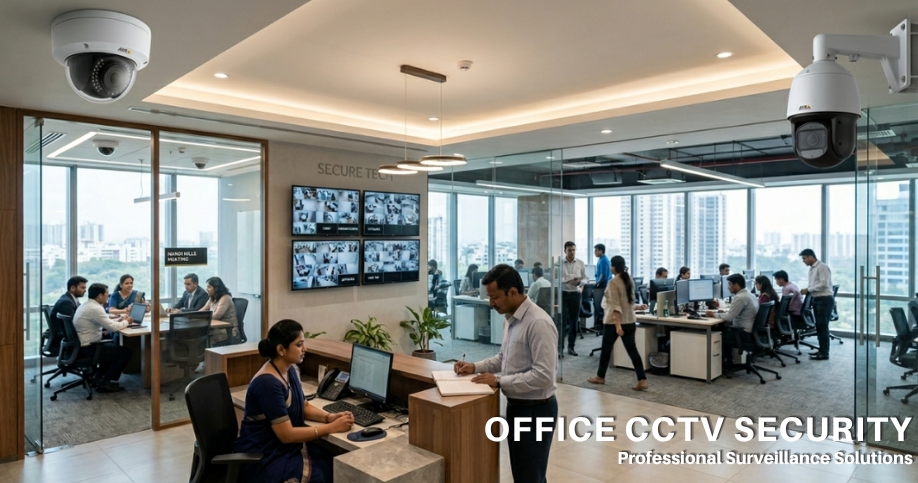
Dome CCTV cameras are commonly installed inside offices because they look clean and professional.
These cameras are usually installed in:
- reception area
- cabins
- workstations
- meeting rooms
- entrance sections
Most office owners prefer dome cameras because they don’t look bulky inside office interiors.
If you want to understand the difference between dome and bullet cameras, you can also read our detailed guide on
Dome CCTV Camera vs Bullet CCTV Camera

WiFi CCTV Cameras for Small Offices
Nowadays many startups and smaller offices prefer WiFi CCTV cameras because installation is faster and cleaner.
Most office owners now ask:
“Can we monitor cameras directly from mobile phone?”
That’s one of the biggest reasons WiFi security cameras are becoming common in office spaces.
WiFi CCTV cameras are useful for:
- smaller offices
- rental office spaces
- temporary setups
- cabins
- reception monitoring
They also reduce heavy wiring work.
You can also read our guide on
WiFi CCTV Camera Installation Guide for Home and Office

IP Cameras for Commercial Office Security
Larger offices usually prefer IP security cameras and NVR systems.
These setups are useful when:
- multiple cameras are required
- higher image quality is needed
- remote monitoring is important
- future camera expansion is planned
IP surveillance cameras usually provide:
- better image clarity
- smoother mobile monitoring
- advanced recording features
- cleaner network setup
Many commercial CCTV camera setups now use IP cameras instead of traditional analog systems.

PTZ Cameras for Bigger Office Spaces
PTZ cameras are commonly used in:
- larger offices
- corporate buildings
- parking areas
- warehouses
- commercial properties
These cameras support:
- pan
- tilt
- zoom
which helps monitor larger areas with fewer cameras.
A lot of businesses now combine:
- dome cameras indoors
- PTZ cameras for larger coverage
- outdoor cameras near the entrance for better office security.

Best Camera Placement for Office Security
Good camera placement matters more than simply increasing camera quantity.
Most offices usually install cameras near:
- main entrance
- reception area
- parking section
- server room
- storage area
- billing or admin section
Some offices install too many cameras in one area while leaving important sections uncovered.
That creates blind spots.
Proper CCTV planning is important before installation.
DVR vs NVR for Office CCTV
One common confusion office owners have is whether to choose DVR or NVR systems.
For smaller office setups, DVR systems still work properly.
But larger businesses often prefer NVR systems because:
- image quality is better
- expansion is easier
- IP camera support is available
- mobile monitoring performs better
If you want to understand both systems properly, you can also read our detailed guide on
DVR vs NVR – Which CCTV System Is Better?

CCTV Installation Cost for Offices
Office CCTV installation cost depends on:
- office size
- camera quantity
- indoor or outdoor setup
- DVR or NVR system
- storage requirement
- wiring complexity
Some smaller offices only require:
- 2 to 4 cameras
- basic DVR setup
- mobile monitoring
while larger commercial properties may need advanced CCTV systems with IP cameras and PTZ monitoring.
You can also read our detailed guide on
CCTV Camera Installation Cost in Bangalore
One Common Mistake Businesses Make
Some businesses purchase cameras online without understanding actual office requirement.
Later they realise:
- camera angle is wrong
- storage is insufficient
- mobile app has issues
- reception area isn’t covered properly
- outdoor visibility is poor
Even expensive CCTV cameras perform badly if installation planning is poor.
CCTV Camera Installation in Bangalore
CCTV Surveillance Cameras provides:
- CCTV camera installation
- office security camera installation
- commercial CCTV setup
- IP camera installation
- CCTV monitoring systems
- security camera installation
for:
- offices
- startups
- commercial buildings
- clinics
- warehouses
- business properties
We provide:
- dome CCTV cameras
- WiFi CCTV cameras
- IP surveillance cameras
- PTZ cameras
- outdoor security cameras
- DVR and NVR systems
Our team helps businesses choose CCTV systems based on actual office requirement instead of unnecessary expensive setups.
Contact CCTV Surveillance Cameras
CCTV Surveillance Cameras
Address: No 9, Shop No 3, Max City Centre TP Lane, Sadar Patrappa Rd, Bengaluru, Karnataka 560002
Phone: 063612 64243
Website: CCTV Surveillance Cameras